

Rack-Mount CAN Simulator Product Details
Rack-Type · Multi-Channel Bank · Integrated Touch UI — overview and key features of Rack-Mount CAN Simulator.
Rack-Mount CAN Simulator
Rack-Type · Multi-Channel Bank · Integrated Touch UI
3-Row Channel Bank and Touch UI — Multiple Lighting Units in One Rack
A rack-mount chassis integrates a color-coded channel bank with a touchscreen UI, reproducing and controlling many lighting channels simultaneously on a CANDB basis. Custom-built to your requirements for bench or rack-integrated environments.
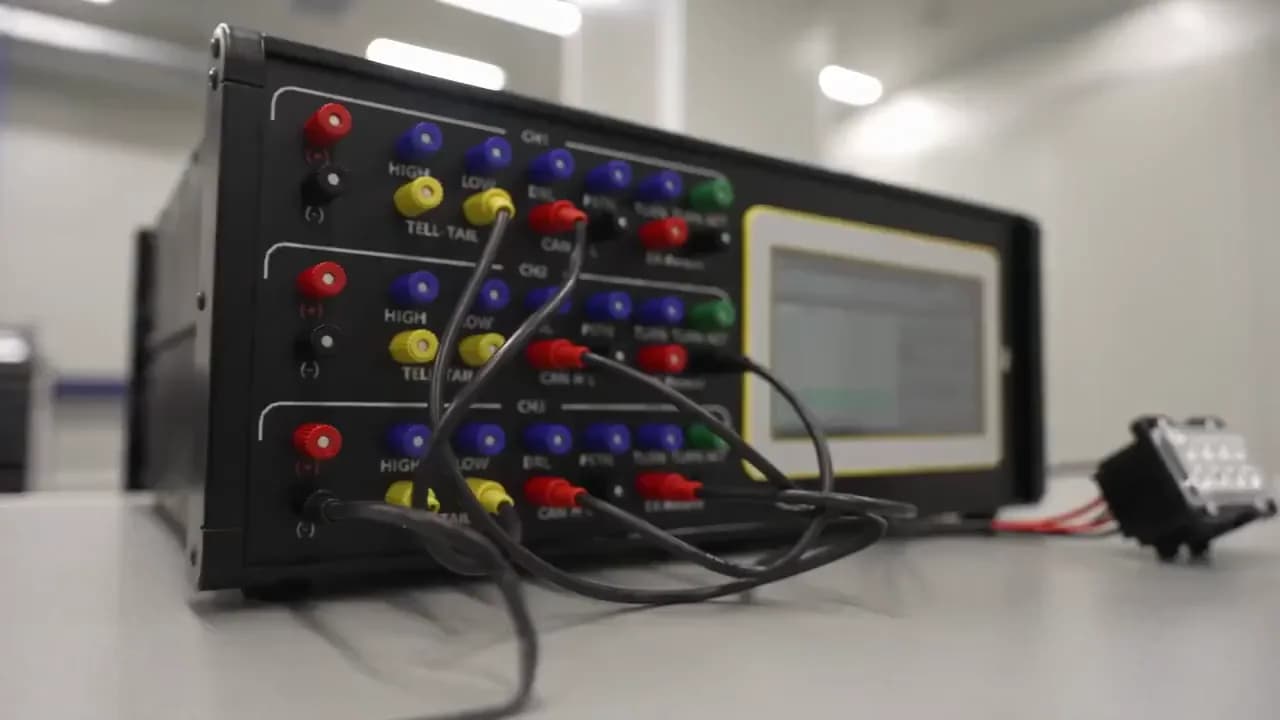
A Multi-Channel CAN Lighting Bench Integrated in a Rack
Wire multiple lighting units through the 3-row color-coded channel bank, and reproduce and control CANDB-based signals from the touchscreen UI. Communication status across multiple channels is monitored in real time on a single screen, configured to match rack- or bench-integrated environments.
- Simultaneous multi-channel wiring via 3-row color-coded channel bank
- Integrated touchscreen UI control·monitoring
- CANDB-based lighting signal reproduction & control
- Configuration custom-built for bench or rack-integrated requirements
Form Factor · Usage Shots
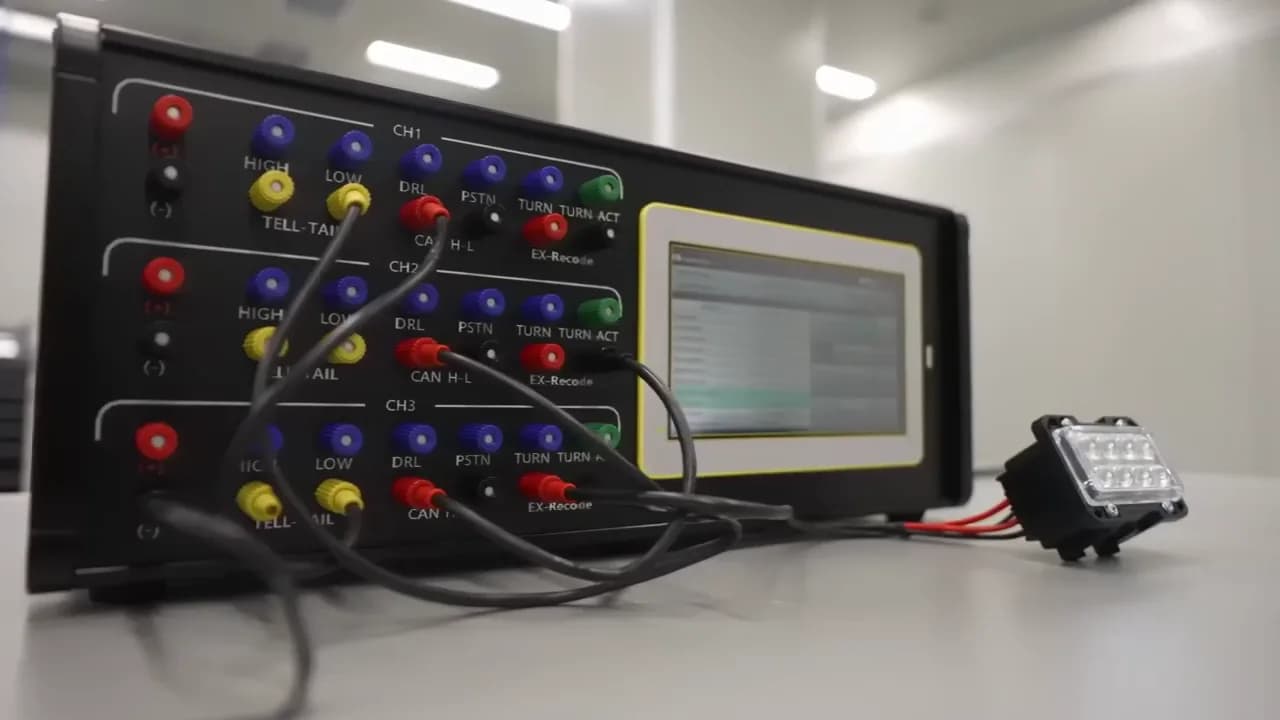
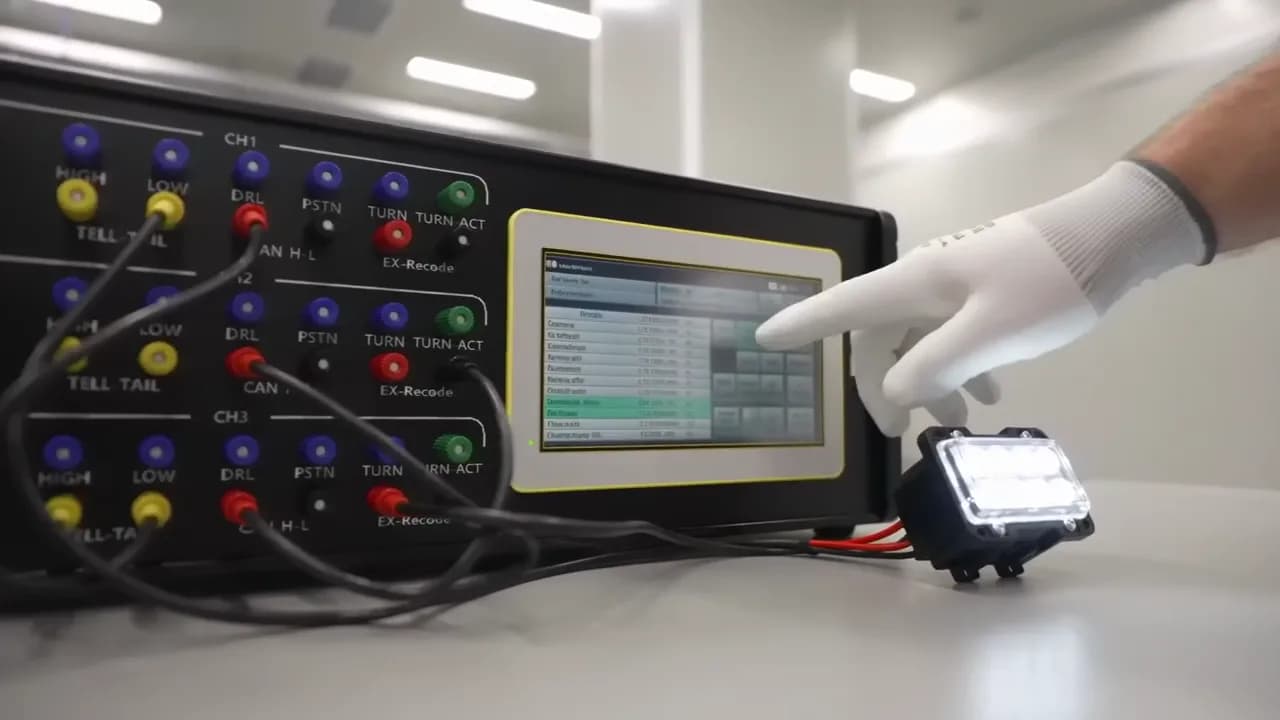
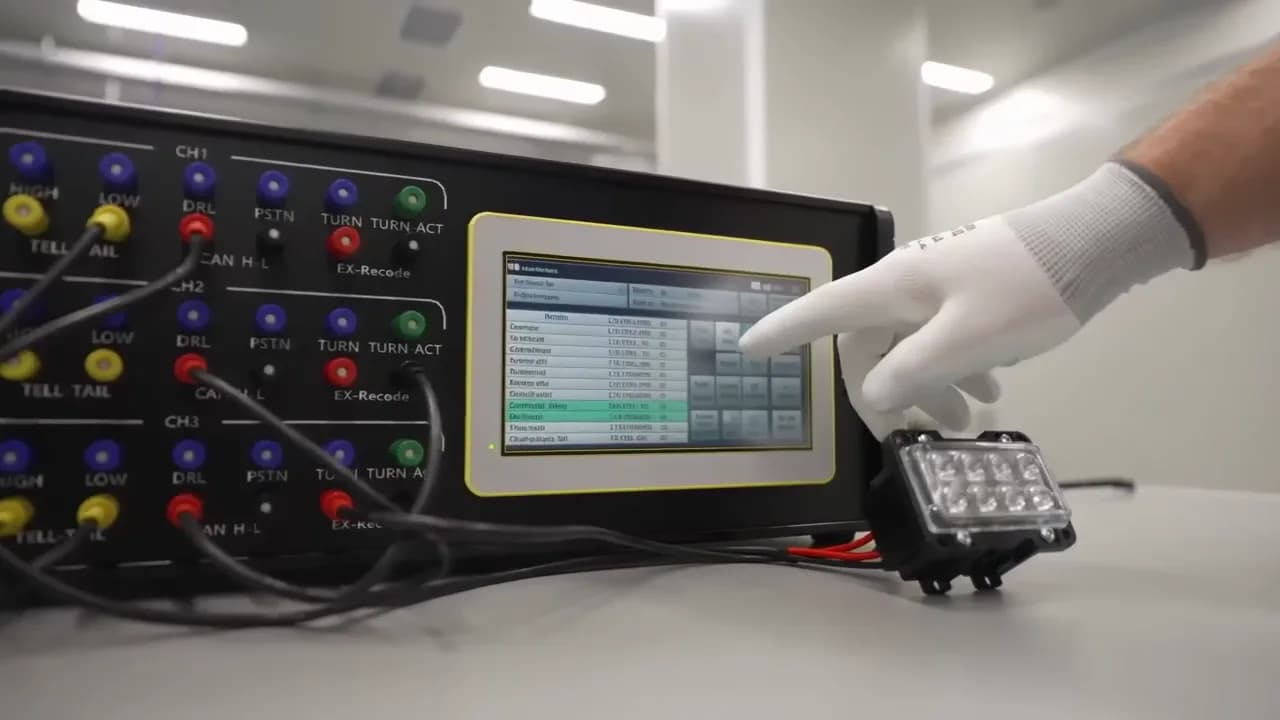
Key Features
- CANDB-Interpretation-Based CAN Communication Control
- 3-Row Color-Coded Channel Bank · Multi-Channel Wiring
- Touchscreen UI Real-Time Control·Monitoring
- Communication·Control History Logging
Key Strengths
CANDB-Based Communication Control
Interprets the CANDB to reproduce actual CAN communication and control lighting signals as needed.
Touch UI Multi-Channel Control
The 3-row channel bank and touchscreen let you control and monitor multiple lighting units on a single screen.
Lighting Control Signals
Representative lighting signals controlled via CANDB interpretation.
3rows
Color Channel Bank
CANDB
Interpretation-Based Control
Touch UI
Real-Time Integrated Control
Considering a custom Rack-Mount CAN Simulator build?
ATL engineers will personally guide you through a configuration and quote tailored to your requirements.
Contact ATL
Need testing or a quote?
ATL's expert engineers provide reliability testing for automotive electronics, defense, and IT products. Request a quote online or call us.